

OptyPeptides App
Track routines, check-ins, reminders, and wellness patterns between Wellness Lab visits.
Use this code when setting up OptyPeptides for Wellness Lab.
Used for routine tracking and check-in organization. Not for emergencies, urgent symptoms, prescription approval, or dose changes.
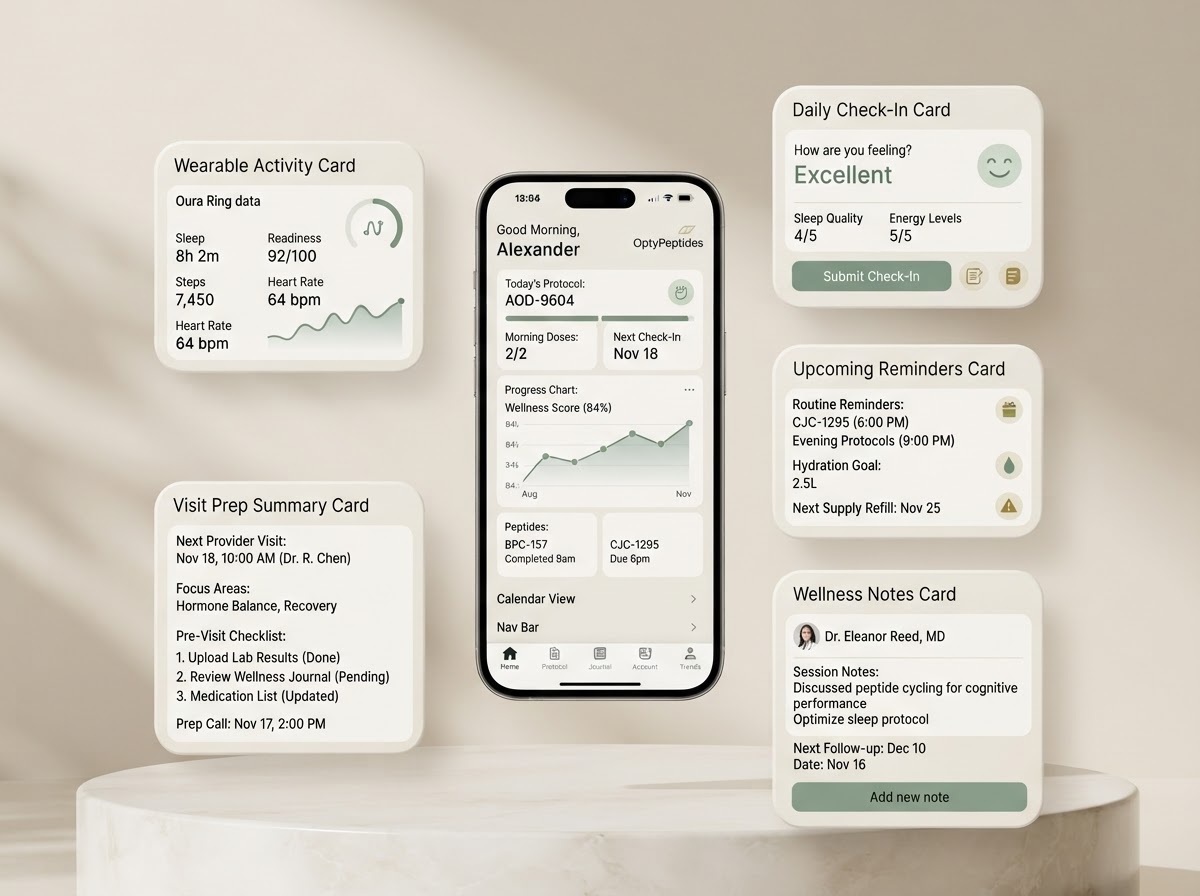
What OptyPeptides helps organize
A simple place to keep your routine, check-ins, and wellness notes in one spot between visits.
Routine Logs
Keep peptide routines, reminders, and check-ins organized in one app.
Check-Ins
Capture simple wellness check-ins between Wellness Lab touchpoints.
Reminders
Set gentle reminders so routines stay on track between visits.
Wellness Trends
View supported wellness patterns when patients choose to connect compatible sources.
Visit Prep
Help patients arrive with clearer information for their next Wellness Lab visit.
App Store Access
Download OptyPeptides from the Apple App Store.
How Wellness Lab uses it
A simple flow to keep care conversations organized.
Download the app
Get OptyPeptides from the Apple App Store and set up your routine tracking.
Enter clinic code WELLNESSLAB
Use clinic code WELLNESSLAB when setting up OptyPeptides for Wellness Lab so your routine tracking connects to your care team.
Track routines & check-ins
Log routines, reminders, and wellness notes between your Wellness Lab visits.
Bring clearer context to visits
Use organized trends and summaries to support more focused care conversations, then discuss next steps with the Wellness Lab care team.
Safety & clarity
OptyPeptides is for routine tracking and organization. It is not emergency monitoring, medical advice, prescription approval, refill approval, dose-change approval, product release, shipment, or guaranteed results. For urgent concerns, call 911 or seek immediate in-person care. Patient-specific clinical questions should be directed to the Wellness Lab care team.
Ready to get started?
Download OptyPeptides and keep your routine organized between Wellness Lab visits.